Workout planner & training log
Plan it. Log it.
Watch it move.
Voima is a workout app for people who train to a program. Write the block, log every set in the gym, and see whether it actually moved — offline, and without an account.
iPhone first. Android to follow.
Works with no signal
The log lives on the phone. A set is written the moment you record it — no spinner, no saving state, and nothing waiting on a basement's worth of reception.
No account required
Nothing asks you to sign up, and training without one is the whole app. An account backs your history up off the phone, and is what lets you share a program.
No charts it cannot support
A trend line over three sessions is a guess with a confident shape. Under a few weeks of data, Voima says so instead of drawing one.
Plan
Programs, not a list of exercises
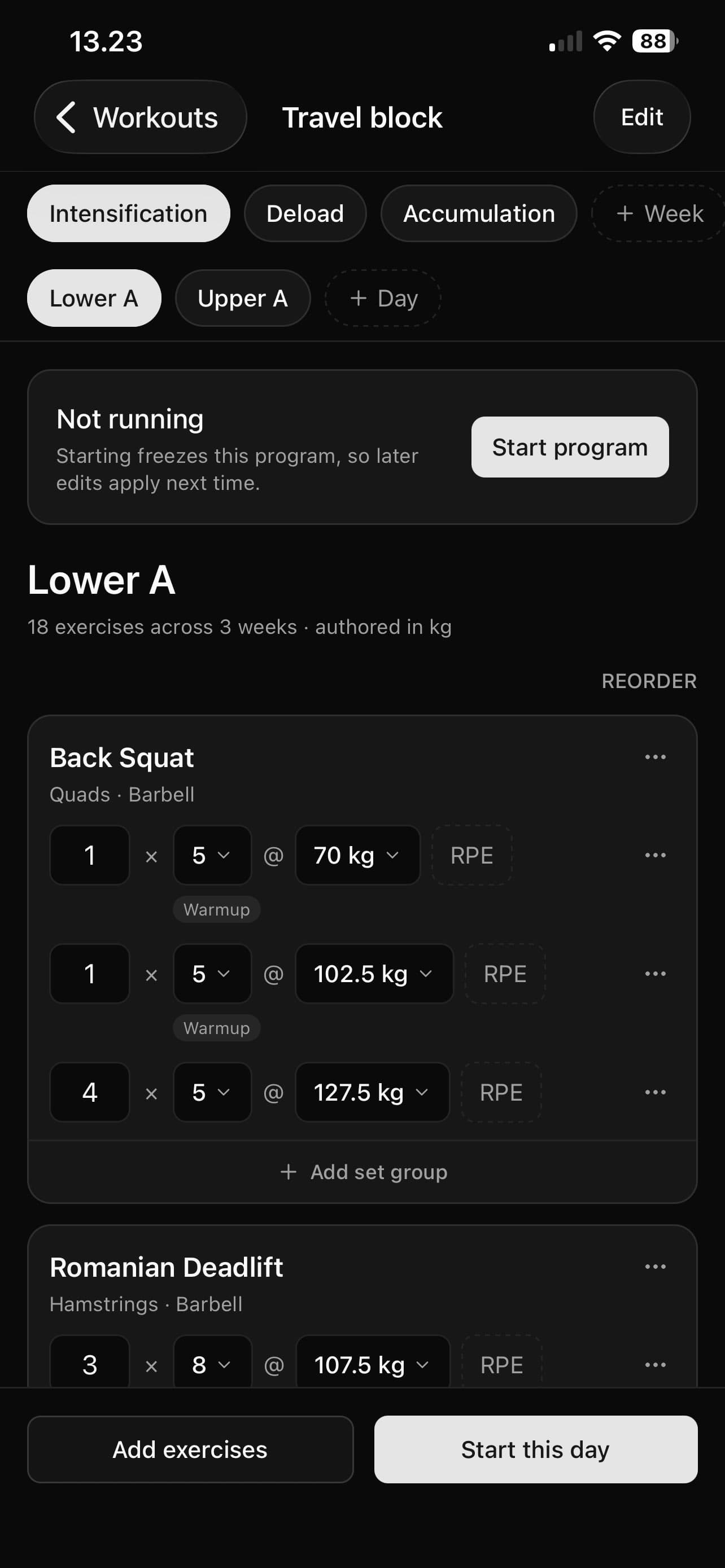
A program here is a block: weeks, days, and the exercises on each one, with the set and rep scheme for every week. Start from a bundled template or write your own.
- Multi-week blocks, where the prescription changes week to week rather than only session to session.
- Progression rules move the base for the next run, so the block gets harder without being rewritten by hand.
- A full exercise catalog, with your own exercises sitting alongside it.
- Copy a day, reorder a week, swap an exercise — editing a program is editing, not starting again.
Log
The screen you actually use in the gym
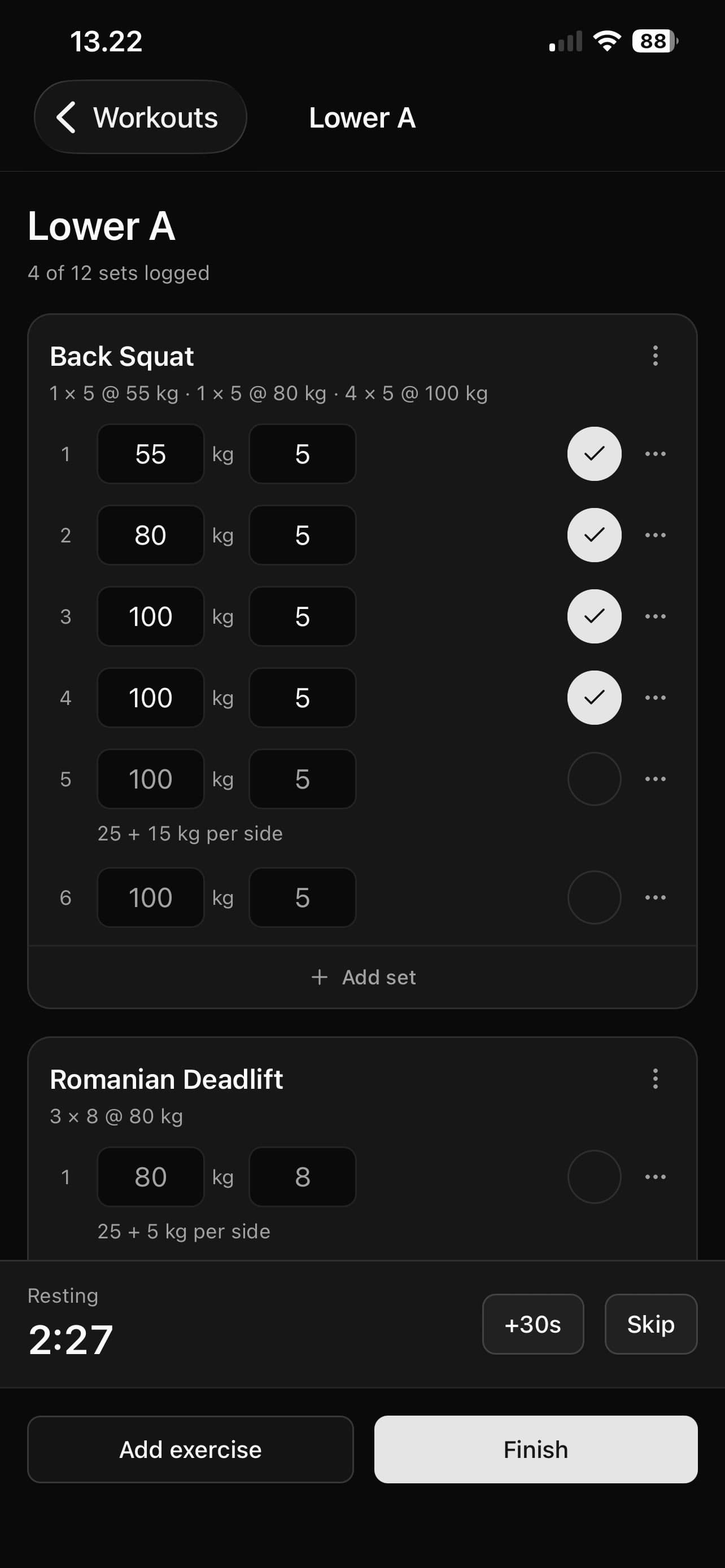
Start a session and the plan is already on it — prescribed reps and weight waiting on every set. You are recording what happened, not typing out what you meant to do.
- A warm-up ramp worked out from the weight you are about to lift.
- Plate math for the bar in front of you, from the plates you said the gym has.
- A rest timer that keeps time in your pocket and tells you when it is up.
- Walk away mid-session and come back to it — nothing is lost and nothing needed saving.
Progress
Whether it actually moved
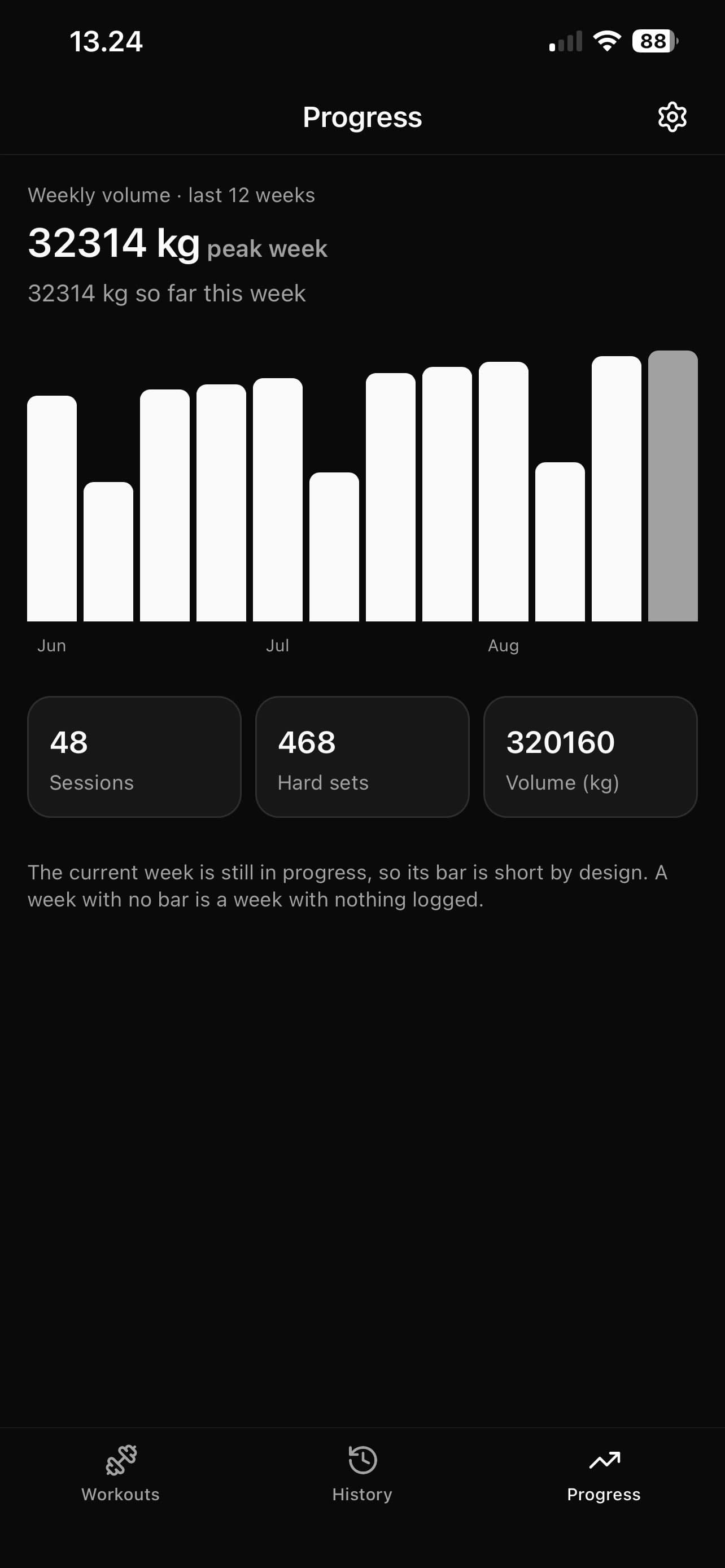
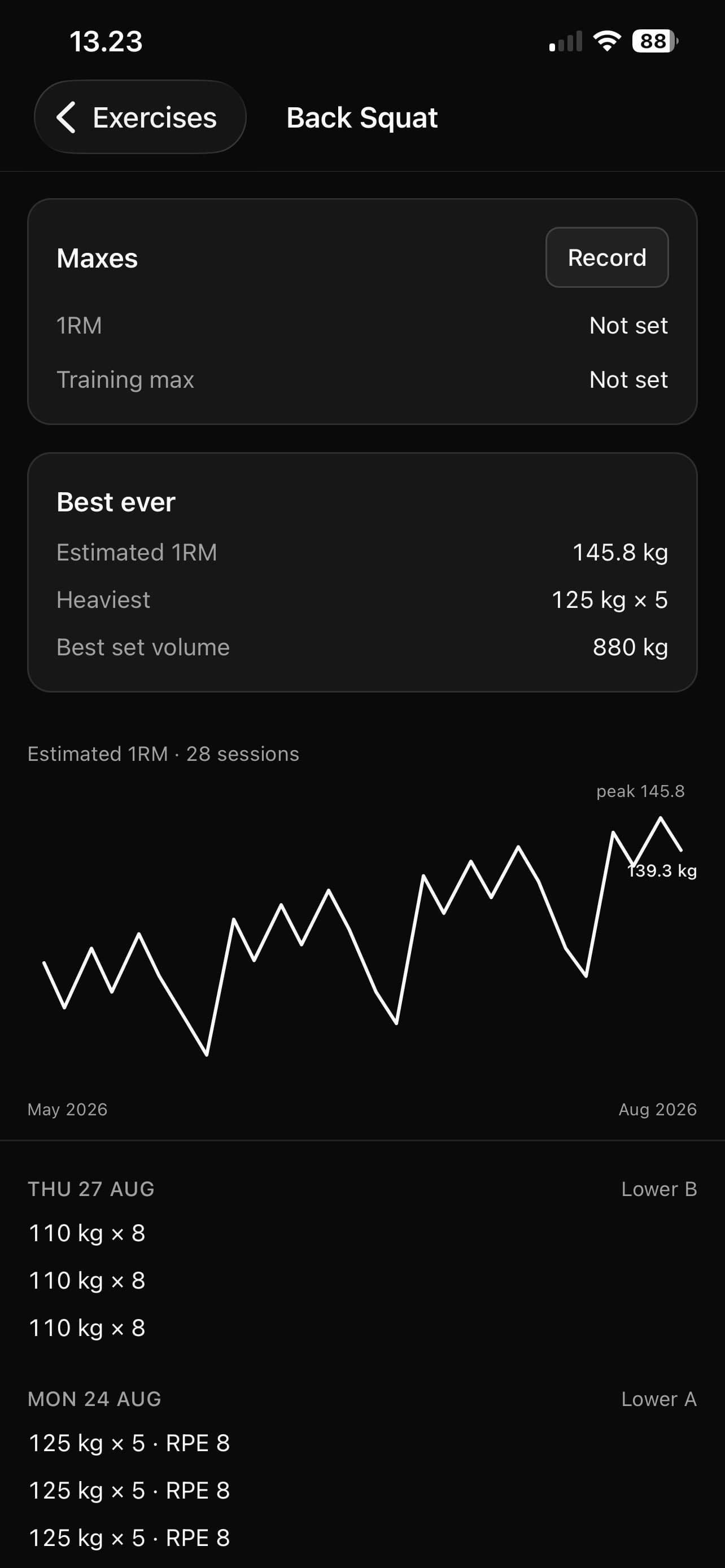
The part most logs get wrong. Voima works progression out from the sets you logged, and draws the handful of things that answer a training question.
- Estimated 1RM per lift over time — tap a point on the line to open the session behind it.
- Weekly training volume, and where this week sits against the last few months of them.
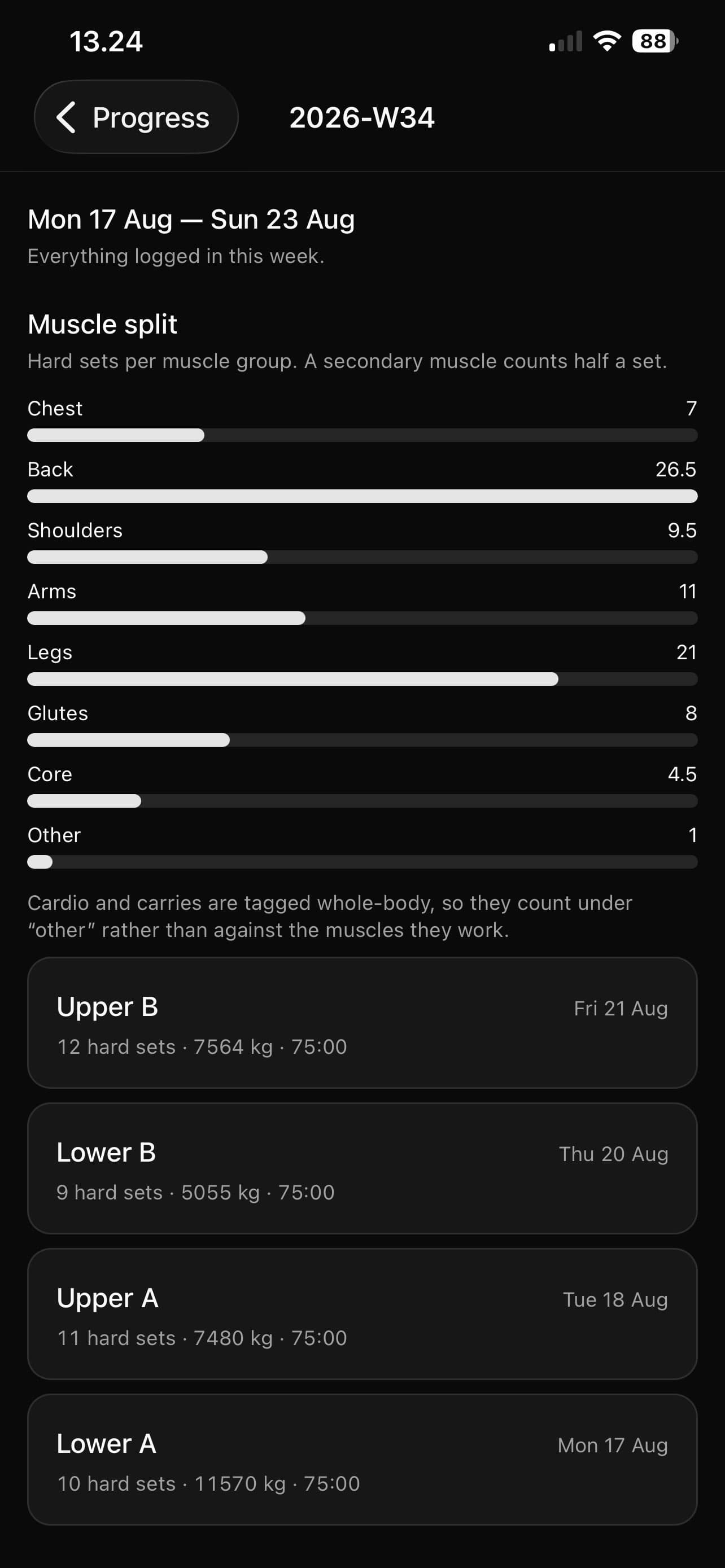
- How that volume splits across muscle groups, counting secondary muscles by weight rather than ignoring them.
- Personal records as they land, and a bodyweight trend if you record one.
Editing a program never rewrites your history
A session takes a snapshot of the plan the moment you start it. Raise the weights next week, drop a day, throw the whole block out — and every session you already trained still says what it prescribed at the time. Your log is a record of what you did, not a view of what you are doing now.
And the rest of it
A month at a glance
Every day you trained, on a grid, above the sessions themselves.
A review at the end of a block
What the run actually did, reported as facts rather than a grade.
Share a program
Send a block to someone as a link. They preview it, then adopt it.
Kilos or pounds
Whichever you think in, everywhere, including the plate math.
Weekly volume targets
Set them per muscle group and see the week measured against them.
Backed up, if you want
Sign in and your training follows you to the next phone.
Train the plan. Keep the record.
iPhone first. Android to follow.